

Administration
Configure integrations, manage settings, and control how Go Autonomous works for your organisation.
Overview
The Administration section is where you configure and manage everything behind the scenes — integrations with external systems, field configurations, product catalogs, areas, automation rules, and organization-wide settings. Administration is accessible via Company Settings at the top of the page.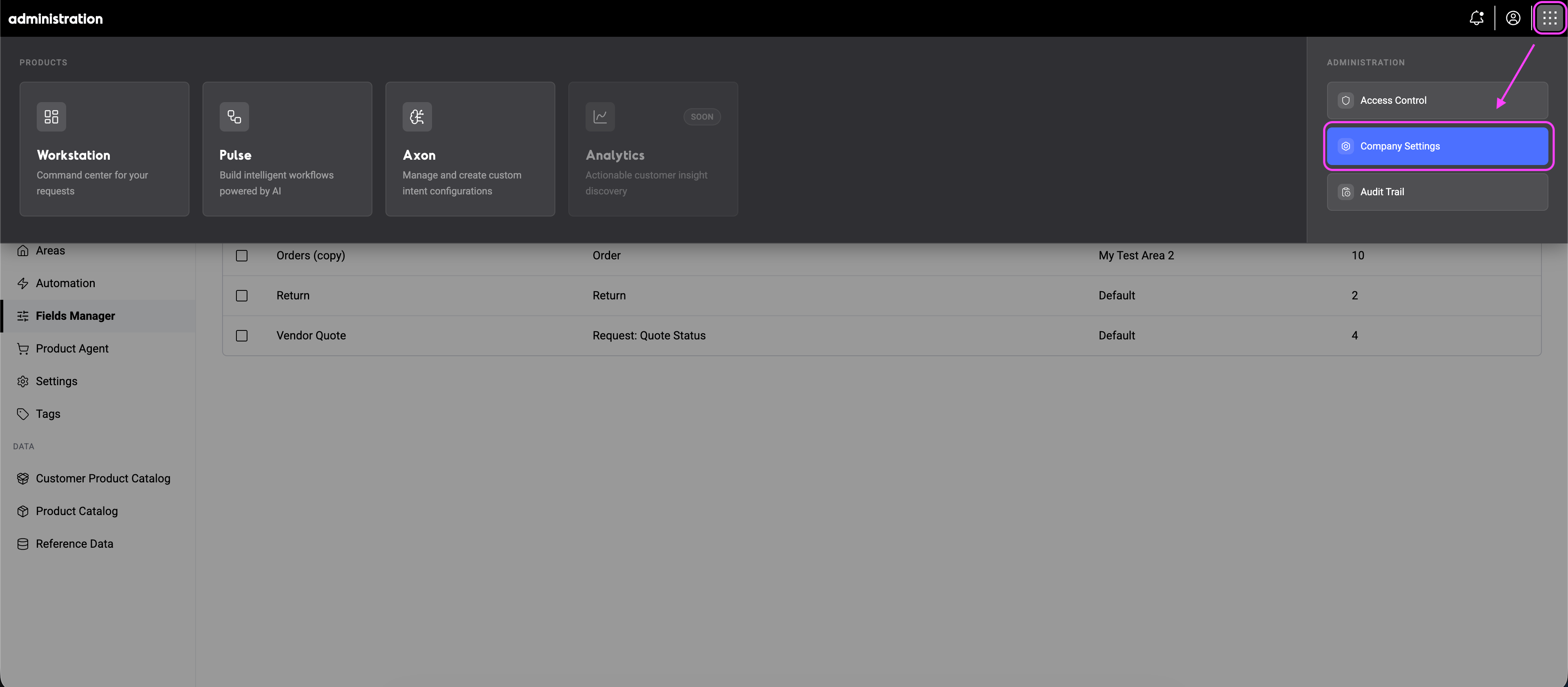
Company Settings
Company Settings contains everything related to how Go Autonomous processes and connects your data. It’s organized into three sections:Integrations
Set up connections to external systems and manage authentication.Authenticators
Create and manage authentication credentials for third-party integrations.
Connectors
Connect Go Autonomous to your ERP, CRM, and other business systems.
Notifications
In-app notifications for assignments, mentions, and updates.
Send Emails
Configure outbound email sending for order confirmations and communications.
Inbox Management
Configure email inboxes, folders, and routing rules.
Configurations
Define how the platform processes and organizes data.Areas
Segment your organization into areas for different teams, regions, or business units.
Autonomous Mode
Control which requests are processed automatically vs. queued for manual review.
Field Manager
Configure which fields appear in Flow and how data is extracted and displayed.
API Keys
Create and manage API keys for programmatic access.
Change Logs
Track and review all actions taken in your organization.
Data
Manage the reference data and product catalogs that power extraction and matching.Product Catalog
Upload and maintain your product catalog to power extraction and auto-matching in Flow.
Customer product numbers
Map customer-specific product codes to your internal catalog.
Reference data
Upload and manage reference data sets for extraction and matching.