

Pulse
Go Autonomous’s visual workflow builder — automate actions, route requests, and connect to external systems without writing a line of code.
Overview
Pulse is Go Autonomous’s visual workflow builder. It lets you create automated workflows that trigger actions based on incoming requests — like checking prices, routing orders to the right team, or sending data to external systems. You build workflows by connecting nodes on a visual canvas: define a trigger, add logic and branching, transform data, and connect to external services. No coding required.
How to navigate to Pulse
The Pulse dashboard
When you open Pulse from the app switcher, the dashboard has two tabs:- Overview — the list of all workflows on your tenant. Use this to create, open, and manage workflows.
- Executions — a searchable history of past workflow runs. See Executions for details.
- Workflow — the name of the workflow.
- Nodes — how many nodes the workflow contains.
- Created — when and by whom the workflow was created.
- Last Edited — the most recent modification date and editor.
- Areas — which areas the workflow is assigned to.
- Stage — the workflow’s deployment stage (e.g., On Transformation).
- Status — whether the workflow is currently Active or inactive.

Pulse Overview
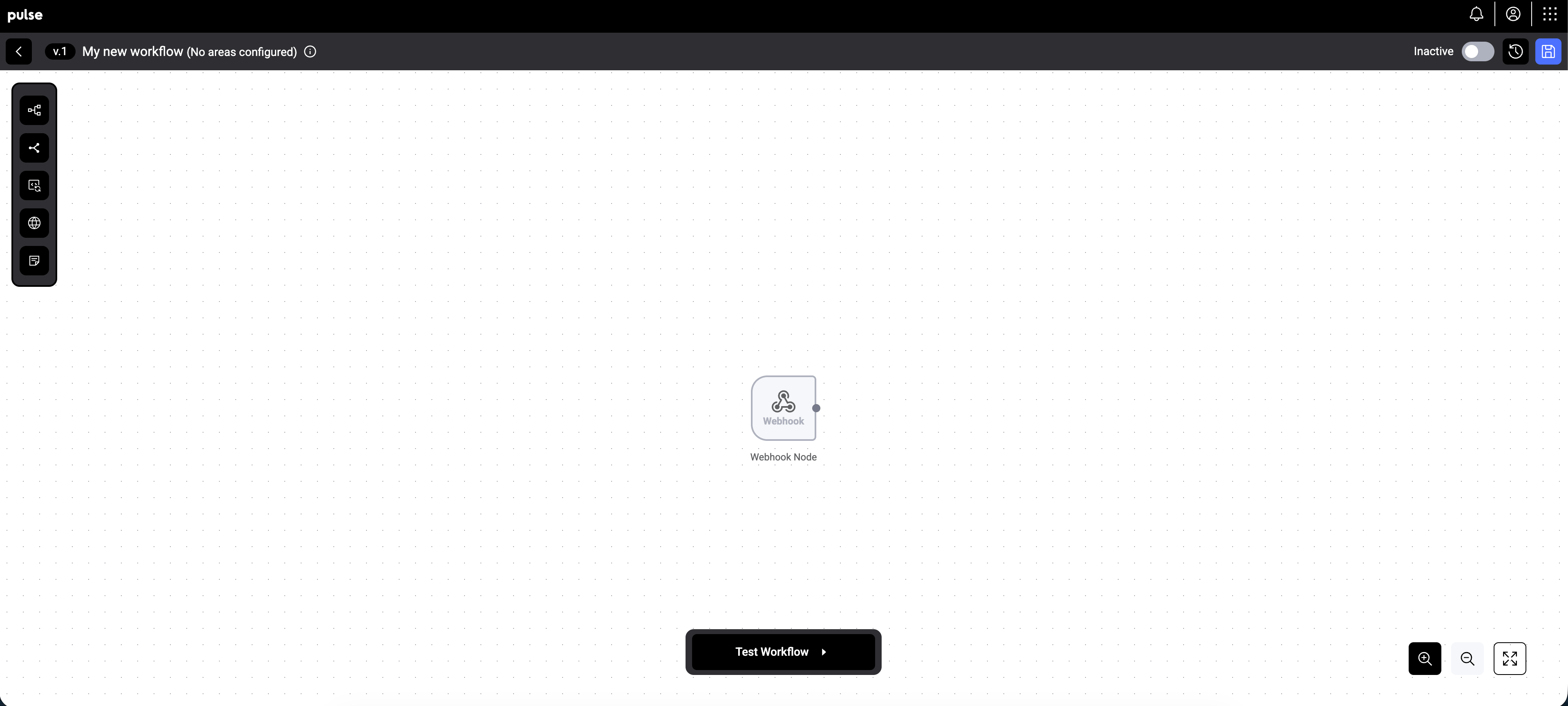
Workflow View in Pulse
Key concepts
Nodes
Nodes are the building blocks of a workflow. Each node performs a specific action:- Webhook — the trigger that starts the workflow when a matching event occurs.
- Switch — routes data down different paths based on conditions (e.g., intent type, customer status).
- Transform — modifies or processes data before passing it along (e.g., price calculations, field mappings).
- HTTP — makes calls to external APIs or services.
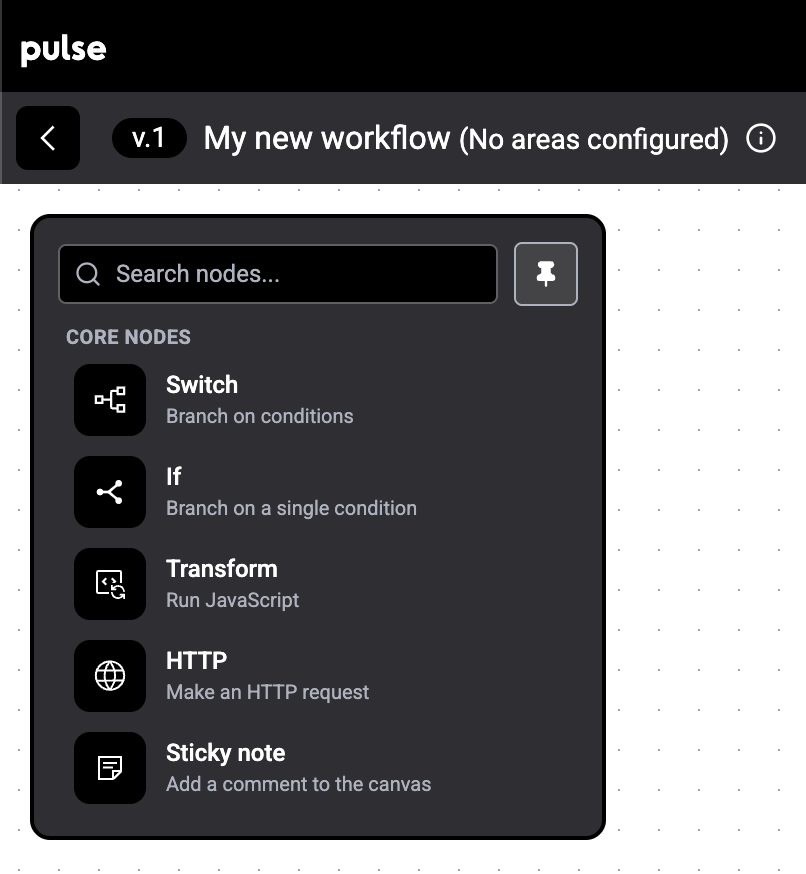
Different Nodes