

Overview
Not every quote can be confirmed all at once. Sometimes you need to send some lines first and handle the rest later — for example, when pricing is confirmed for some products but still being sourced for others. Partial confirmation lets you select which lines to confirm and which to hold.How partial confirmation works
When partial confirmation is enabled for your organization, the Confirm button sends only the lines you’ve selected, rather than the entire cart.1
Review the product cart
Open the request in Flow and review all quote lines as usual.
2
Select lines to confirm
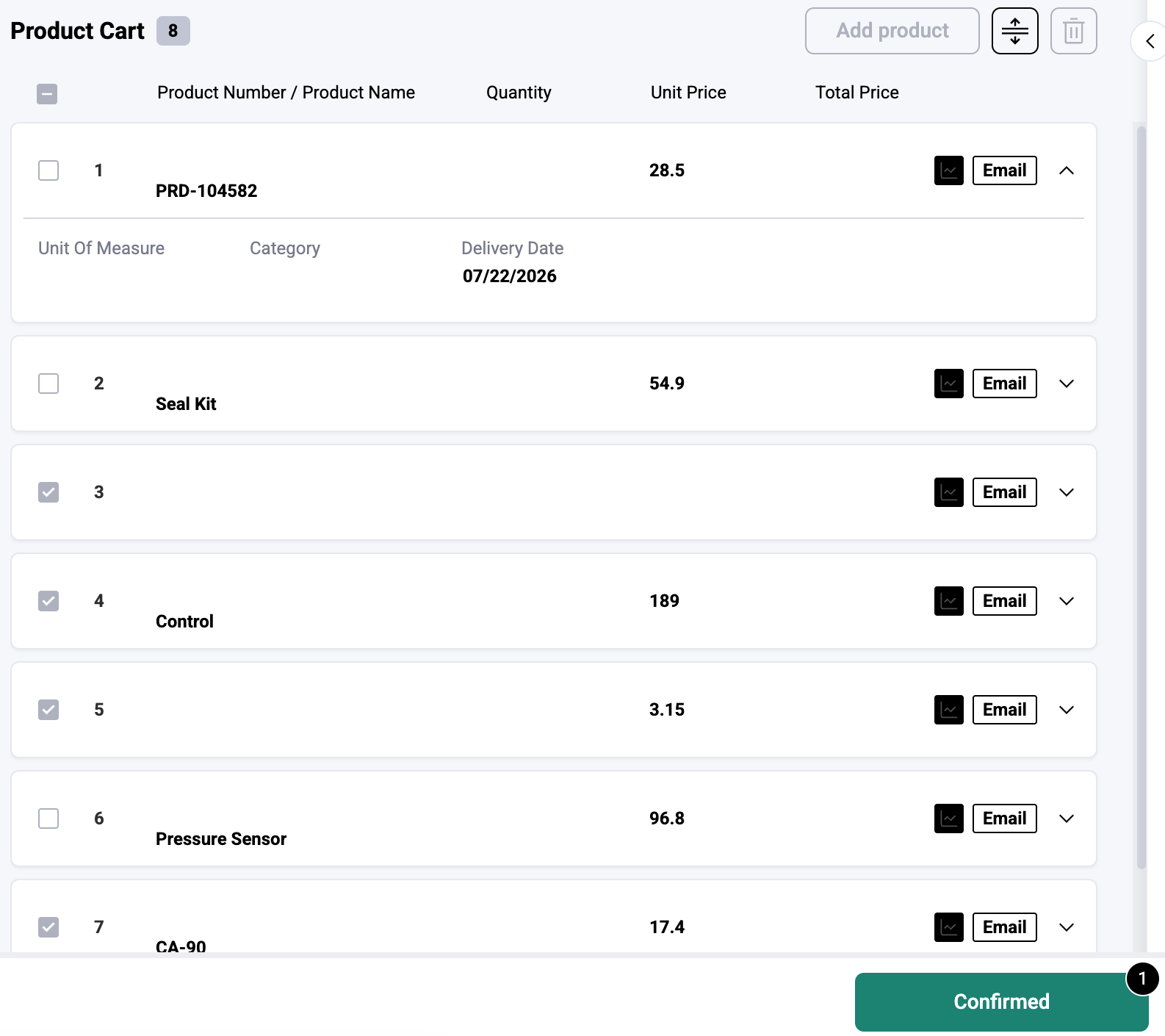
Use the checkboxes next to each line to select the ones you’re ready to send. For example, you might select lines where pricing has been agreed and leave others pending while you await vendor quotes.
3
Click Confirm
Click Confirm to send only the selected lines to your connected system. The confirmed lines change appearance to indicate they’ve been sent.
4
Return later for remaining lines
The request stays in Workstation. Come back to confirm the remaining lines once pricing or availability is resolved.
Visual indicators
Once lines are partially confirmed, the Flow view updates to help you distinguish between confirmed and pending items:- Confirmed lines appear greyed out with a check mark, indicating they’ve been sent.
- Autonomous lines display a special indicator showing they were processed without manual intervention.
- Pending lines remain fully editable and awaiting your action.
Line status tracking
Behind the scenes, each line has a status that tracks its progress:- needs_action — the line requires review and hasn’t been confirmed yet.
- confirming — the line is being sent to the connected system.
- confirmed — the line has been successfully processed.
When to use partial confirmation
Partial confirmation is most useful when:- Pricing is confirmed for some products but still being sourced via vendor quote for others.
- Some lines require manager approval before they can be sent.
- A customer’s quote includes products with different lead times and you want to respond in stages.
- You’re waiting on reference data or availability information for specific lines.
Partial confirmation must be enabled for your organization. Contact your administrator if you don’t see the option to select individual lines.