Overview
When a customer sends a request, Go Autonomous extracts the relevant data automatically. Your job in Flow is to review what the AI found, correct anything that needs adjusting, and confirm the request so it gets sent to your connected systems.Step-by-step review process
1
Open the request
From Workstation, click on any request with a Ready for review status. The request opens in Flow in a new tab.
2
Check the identified intent
Look at the Intents field in the top bar. Make sure the classification is correct (e.g., Request: Simple Order vs. Request: Product Quote). If it’s wrong, click the intent to change it.The dropdown lists your organization’s configured intents at the top, followed by the full intent catalog. When more than five configured intents are available, a Search in configured intents field appears at the top of the list so you can filter by name — type any part of an intent’s name (space-separated terms are combined) to narrow the list.When you pick a different intent, Flow asks you to confirm the change with two options:
- Change intent — switches the intent but keeps the existing extracted data as-is.
- Change and reprocess — switches the intent and re-runs extraction so fields are captured for the new intent. Recommended for the most accurate results, but takes a moment to complete.
3
Review the original communication
Read through the email or document in the left panel. This is your source of truth — compare it against what the AI extracted.
4
Verify the product cart
Check each line in the product cart: product numbers, names, quantities, unit prices, and totals. The AI highlights fields with high confidence using visual indicators. Edit any field by clicking directly on it.
5
Check account and contact details
In the summary panel on the right, verify the account name, customer status, contact name, and contact email. Correct any incorrect values.
6
Confirm the request
Once everything looks correct, click the Confirm button. The total price is displayed next to the button as a final sanity check.
If you have Viewer access to Flow, the Confirm button is disabled and a “view only” banner is shown. Confirming a request requires Editor access — see permission levels by product.
Editing extracted data
Every field in the product cart and summary panel is editable. Click on any value to modify it:- Text fields — click and type the new value.
- Dropdown fields — click to see available options (e.g., unit of measure, category).
- Numeric fields — click and enter the new number. Totals recalculate automatically.
Reassigning a request
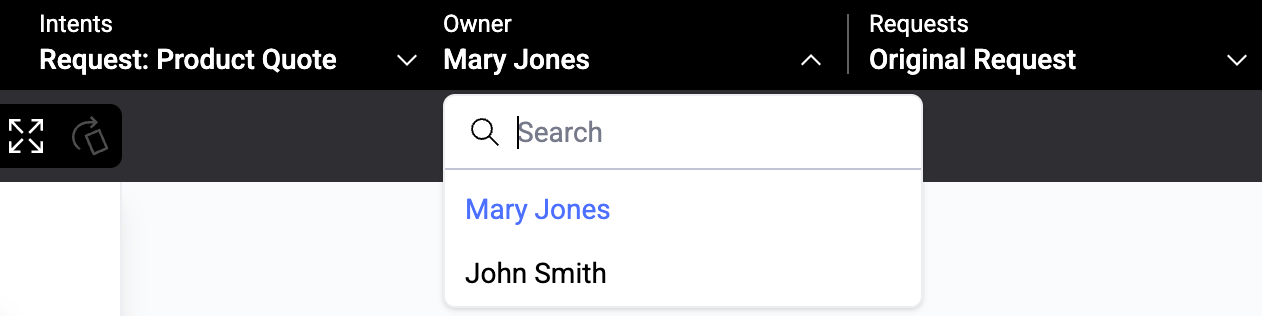
To assign or change the owner, click the Owner dropdown in the top bar and select a team member. This updates the assignment in Workstation as well.